Approved for ServiceM8 Partner Preview
ServiceM8 sends the quote.
Zevik shows you
what happens next.
Keep creating quotes in ServiceM8. Zevik adds the missing layer — client engagement, automated follow-up, and visibility into which quotes are worth chasing.
Works withServiceM8XeroPDF Quotes
Example quote activity
Quote sent via ServiceM8Mon 9:14am
Follow-up sentWed 9:00am
Client opened quoteWed 2:34pm
Audio walkthrough playedWed 2:38pm
Question submitted by clientThu 10:04am
Client approved quoteFri 11:18amApproved
Written back to ServiceM8
The problem
After a ServiceM8 quote is sent, most contractors are left guessing.
Did they open it?
No way to tell if the quote even landed — let alone whether it was read.
Did they understand it?
Clients go quiet. Could be confusion, could be comparing. You can't tell.
Should I follow up?
Too soon looks pushy. Too late loses the job. There's no signal to go on.
Is the quote still alive?
Dead and live quotes look identical. You're chasing blind.
Approved for ServiceM8 Partner Preview
Keep your ServiceM8 workflow
Approvals write back to ServiceM8
Available to ServiceM8 Partners in supported regions
How it works
Five steps. Keep ServiceM8 as your quoting workflow.
Keep ServiceM8 as your quoting and job management system.
ServiceM8 quote
Create the quote in ServiceM8 as normal
Send with Zevik
Tap More → Send with Zevik from inside ServiceM8
Client engages
Client receives a clear quote page — reads, listens, asks questions
Zevik tracks activity
Opens, listens, questions, follow-up — all visible in real time
Approval writes back
Client approves → ServiceM8 job record updated automatically
Product walkthrough
See exactly what happens
Four steps — from ServiceM8 job to approved quote.
Step 1
Send with Zevik from inside ServiceM8
Open the job in ServiceM8, click More, then choose Send with Zevik. The Zevik add-on builds the client quote page automatically — quote walkthrough, scope, and one-tap approval included.
No copy-paste. Job details pull through automatically.
Keep using ServiceM8 as your quoting system.
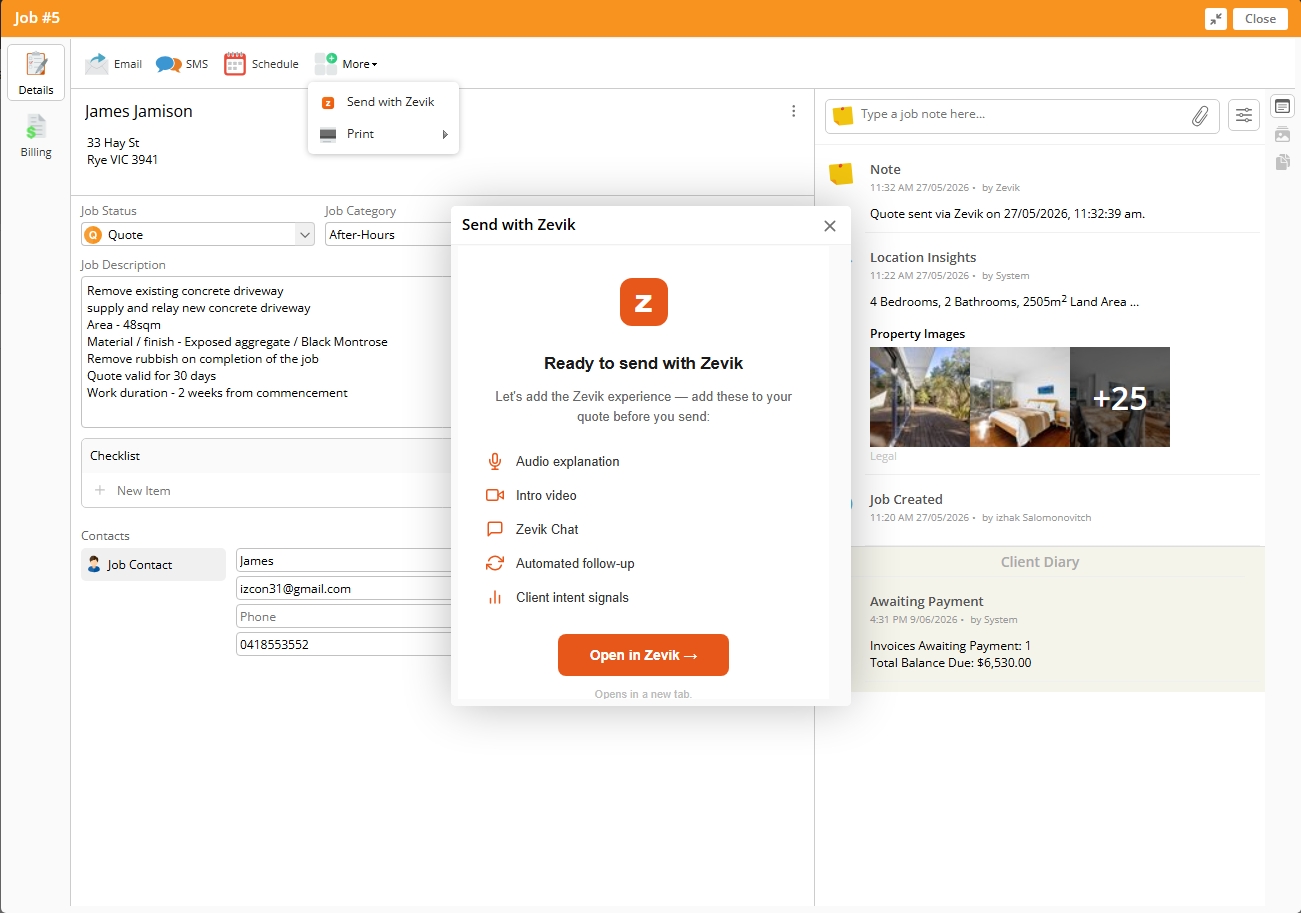
ServiceM8 → More → Send with Zevik
Step 2
Client receives a clear, professional quote page
The client gets a mobile-friendly page — not a PDF attachment. They can read the scope, listen to your audio walkthrough, watch an intro video, and approve with one tap.
Audio explanation of what's included and what's next.
Client can ask a question directly on the page.
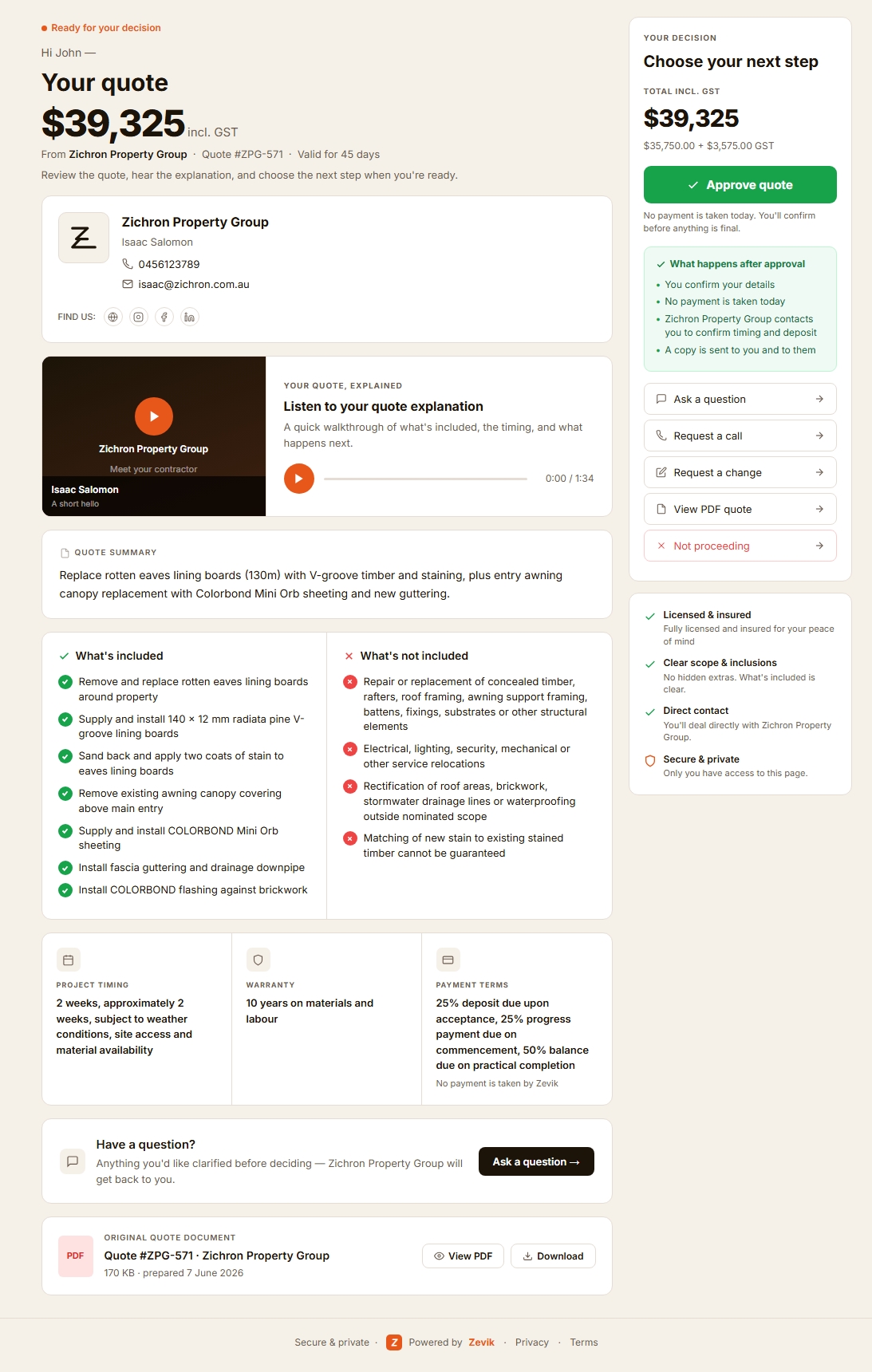
Zevik client quote page
Step 3
See exactly where the quote stands
Zevik shows you opens, audio listens, video views, SMS delivery, and the full activity timeline. You know whether the client is actively reviewing or has gone cold — before you pick up the phone.
High engagement signal shown when client is actively reviewing.
Automated SMS follow-up runs in the background.
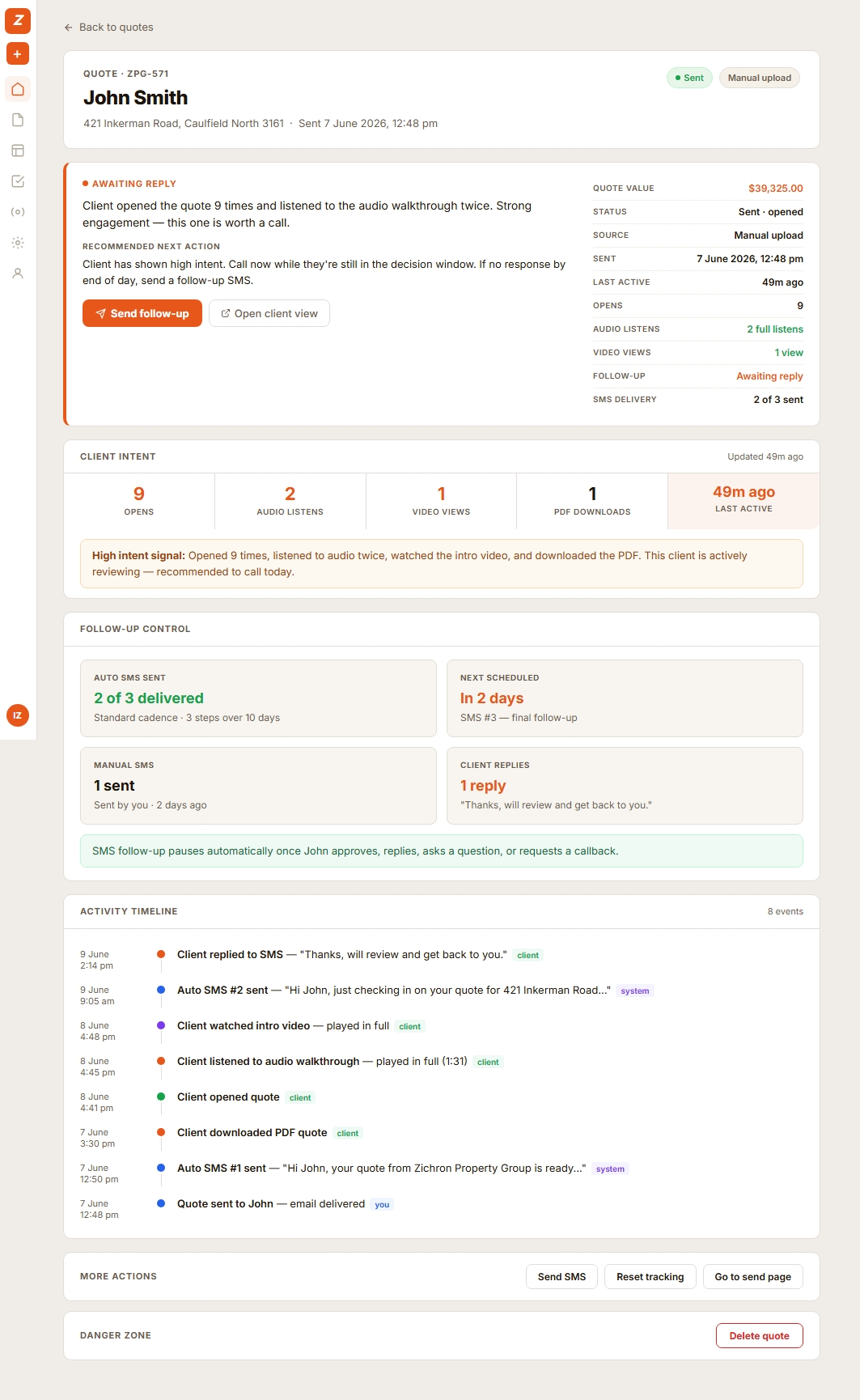
Zevik quote activity and follow-up
Step 4
Approval written back to ServiceM8 automatically
When the client approves through Zevik, the decision is written back to the ServiceM8 job record. No manual update needed. ServiceM8 stays your system of record.
"Quote approved via Zevik" appears in job notes.
ServiceM8 remains your job management system.
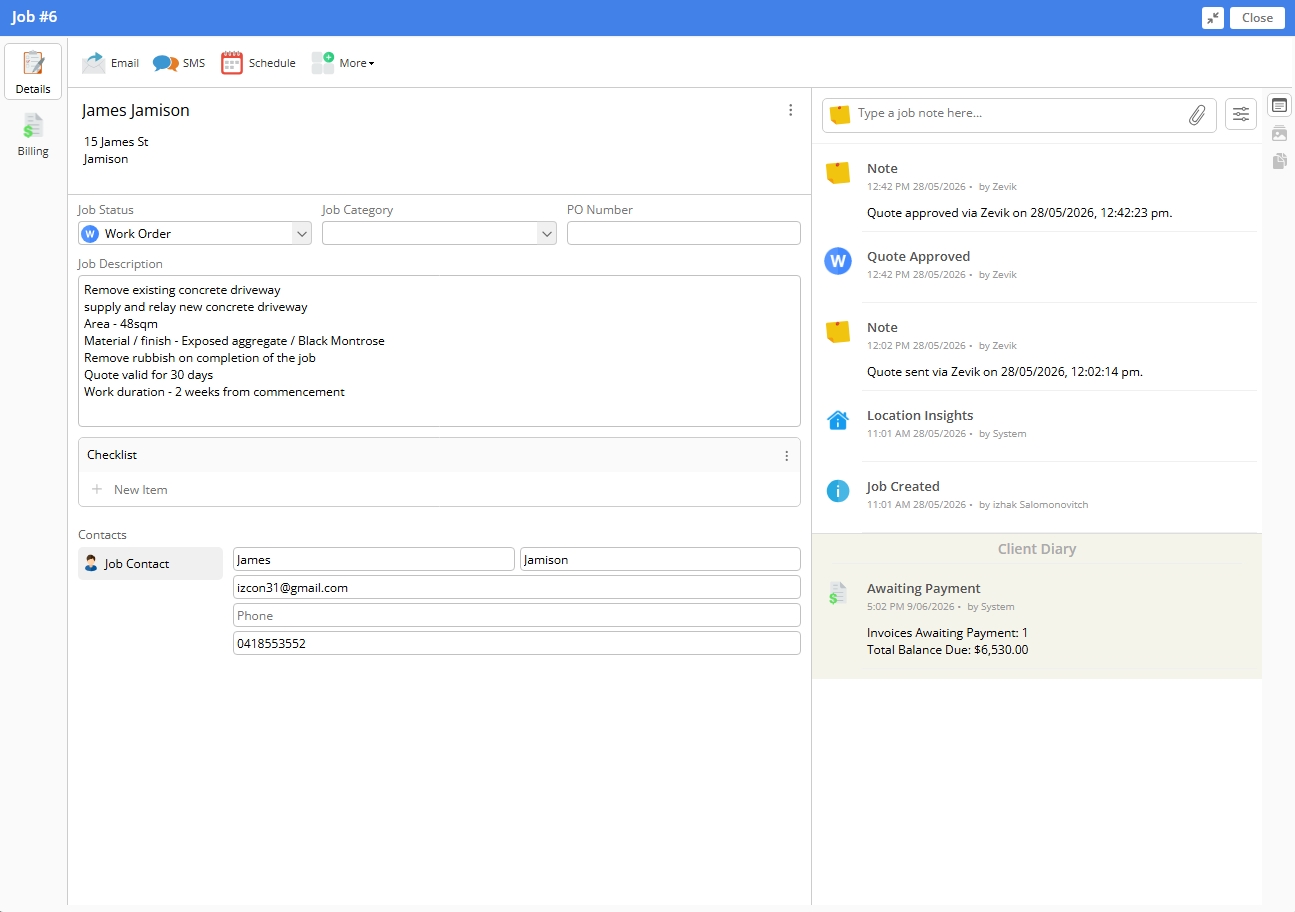
ServiceM8 job history — Zevik write-back
ServiceM8 runs the job.
Zevik handles the decision window.
Zevik handles the decision window.
Two tools. Different jobs. No overlap.
ServiceM8
Job management & quoting
- Job management
- Scheduling & dispatch
- Quote creation
- Invoicing & payments
- Client records
+
Zevik
Post-quote follow-up & visibility
- Automated quote follow-up
- Email and SMS follow-up options
- Client quote pages
- Engagement & activity signals
- Recommended next actions
ServiceM8 + Zevik questions
Partner PreviewZevik is currently approved for ServiceM8 Partner Preview in supported regions. During Partner Preview, ServiceM8 Partners can access and install the add-on. Wider availability will depend on ServiceM8's review and release process.
Already using ServiceM8 for quotes?
Zevik adds the missing layer after the quote is sent — so you can see client engagement, follow up at the right time, and stop wasting time on dead quotes.